
What is OmenCore?
A powerful, all-in-one application designed to unlock the full potential of your HP OMEN & Victus gaming laptop.
🎉 Latest Release: v3.9.0
v3.9.0 is a UX-and-reliability focused release: no fan/thermal/EC control behavior changes, just fixing day-to-day friction. It resolves a completely non-functional OMEN key action setting, an eye-straining tray icon color, game profiles that could be lost on crash, and several previously-silent failure paths (EC resets, crash stack traces). It also adds new HP OMEN/Victus model support. Read the full v3.9.0 changelog for complete release detail.
OmenCore is a modern, lightweight control center that replaces HP OMEN Gaming Hub. Built with .NET 8 and WPF, it provides professional-grade hardware control without bloat, telemetry, or mandatory sign-ins. Take full control of thermals, performance, RGB lighting, and peripherals with a privacy-respecting desktop application designed specifically for HP OMEN and Victus gaming laptops (2022+ models fully supported).
🚀 Quick Start
- Requirements: Windows 10/11 or Linux, HP OMEN or Victus laptop (2022+ models)
- Download: Get the installer or portable ZIP from GitHub Releases
- Installation: Run as Administrator—self-contained app with embedded .NET runtime!
- First Launch: OmenCore auto-detects your laptop's capabilities
⚡ Performance & System Control
- Performance Modes: Instant switching between Quiet, Balanced, Performance, and Max
- CPU Tuning: Safe undervolting with live validation
- Fan Control: Custom curves, manual overrides, real-time adjustments
- Power Management: Fine-tune TDP limits and thermal thresholds
📊 Real-Time Hardware Monitoring
- CPU Metrics: Temperature, load %, core clock speeds
- GPU Metrics: Temperature, load, clock speeds
- System Stats: RAM usage, fan speeds, system utilization
- Lightweight: Minimal resource impact
🎨 RGB & Peripheral Control
- HP OMEN RGB: Per-zone and per-key effects (model-dependent)
- Corsair Support: RGB control for keyboards, mice, headsets + DPI switching
- Logitech Support: Basic lighting and device configuration (WIP)
💡 Why OmenCore?
Most laptop manufacturers lock down hardware controls or bundle bloated software that wastes resources. OmenCore provides deep hardware access with no background services, a highly responsive UI, and clean architecture. Built with modern .NET and organized into Hardware, Controls, Services, and UI layers, OmenCore is lightweight, fast, and puts you in complete control.
OmenCore vs. HP OMEN Gaming Hub
| Feature | OmenCore | Gaming Hub |
|---|---|---|
| Background Services | ✓ None | 3-5 services |
| Telemetry & Data Collection | ✓ Zero | Always Active |
| Independent CPU/GPU Fan Curves | ✓ Yes | No |
| Memory Optimizer | ✓ Built-in | No |
| MSI Afterburner Coexistence | ✓ Yes | Conflicts |
| Multi-Brand RGB Support | ✓ Corsair, Logitech, Razer | HP only |
| Linux Support | ✓ GUI + CLI | No |
| System Optimizer | ✓ One-click | No |
| Open Source | ✓ GitHub | Closed |
Dark/light theme with responsive layout
Organized tabs for all features
Zero background processes
No telemetry or data collection
Fast startup, minimal RAM usage
Built with user feedback
Core Features
Everything you need for professional-grade laptop control—thermal management, performance tuning, RGB lighting, and more.
Hardware Monitoring
Real-time CPU/GPU temperature, fan speeds, load metrics. Native APIs (WMI BIOS, NVAPI, PerformanceCounter) ensure reliable data without kernel drivers.
Thermal Management
Independent CPU/GPU fan curves with drag-and-drop editor. Aggressive thermal protection at 80°C, emergency mode at 88°C. Smooth transitions without RPM spikes.
Multi-Brand RGB Control
Corsair, Logitech, Razer, and HP OMEN RGB lighting. Unified control panel, animation effects, global sync. One app for all your peripherals.
Performance Tuning
Intel/AMD undervolting, GPU power boost control (TGP + Dynamic Boost), performance modes (Quiet/Balanced/Performance/Max), instant mode switching.
Memory Optimizer
Smart and Deep Clean modes for RAM optimization. Auto-clean with configurable thresholds. Trim working sets, purge standby memory, flush file cache.
Diagnostics & Support
Sequential fan tests, sensor health monitoring, hardware diagnostics. Export results for support. Transparent status reporting with no hidden issues.
System Optimizer
One-click Windows gaming optimization. Power plans, background services, network tuning, visual effects, startup apps. Registry backup included.
Keyboard Lighting
Native brightness control and LED animation effects (Breathing, ColorCycle, Wave). V2 keyboard engine with EC-direct support for newest models.
Linux Support
Full Avalonia GUI with identical features to Windows. CLI tool. Systemd daemon with TOML configuration. Automatic fan control engine.
Advanced Features
MSI Afterburner coexistence, game library integration, OSD overlay, quick tray popup, battery charge limiter (80%), torque settings persistence.
Battery & Power
Smart AC/battery profile switching. Battery charge limiter (80% mode). TCC offset control. Power limit fine-tuning. Persists across reboots.
Smart UI/UX
Sleek dark/light theme. Responsive layouts. Settings search, organized tabs, onboarding wizard. 18+ helpful tooltips. Clean, professional interface.
OmenCore in Action
Experience the sleek interface and powerful capabilities—see exactly what you're getting
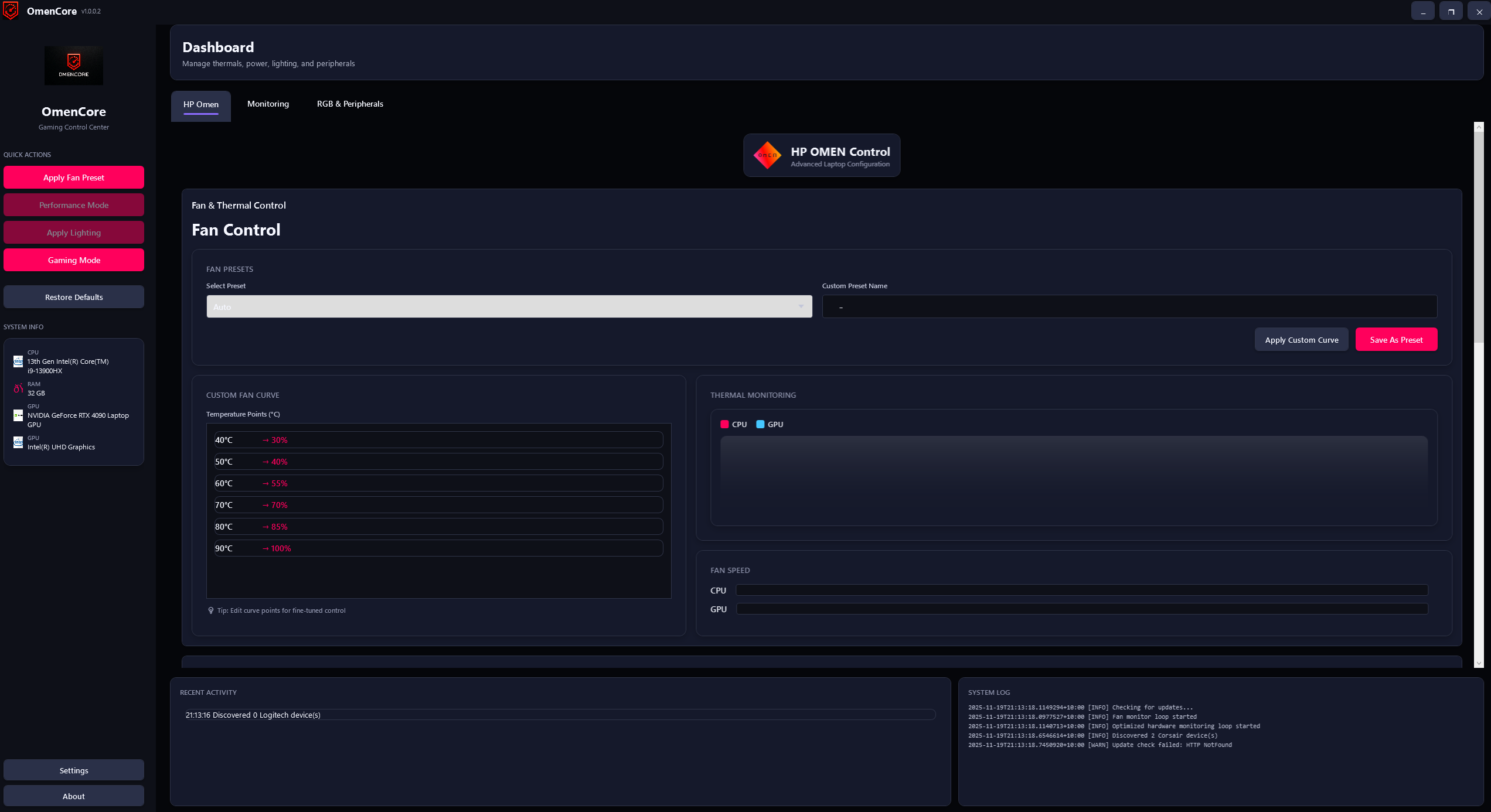
Dashboard with real-time monitoring
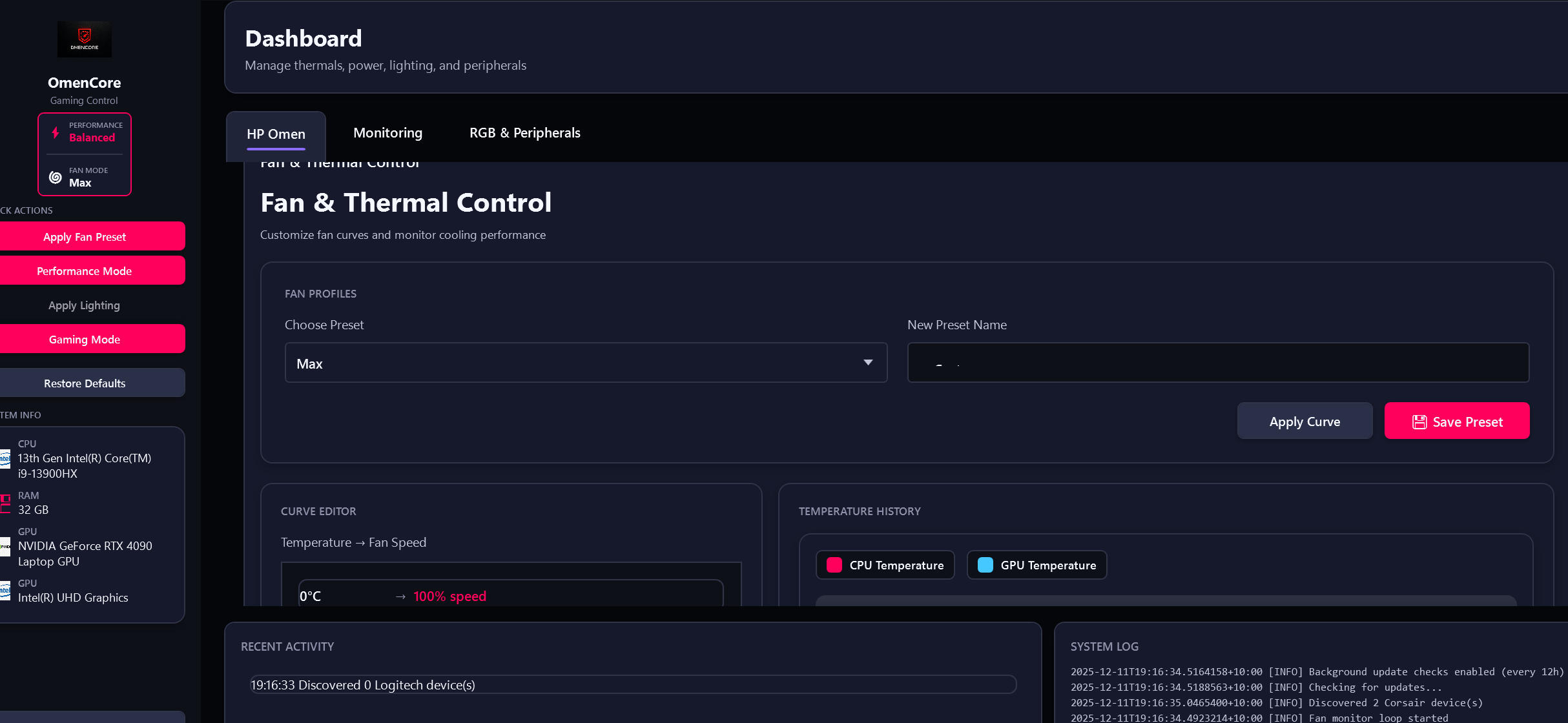
Independent CPU/GPU fan curves
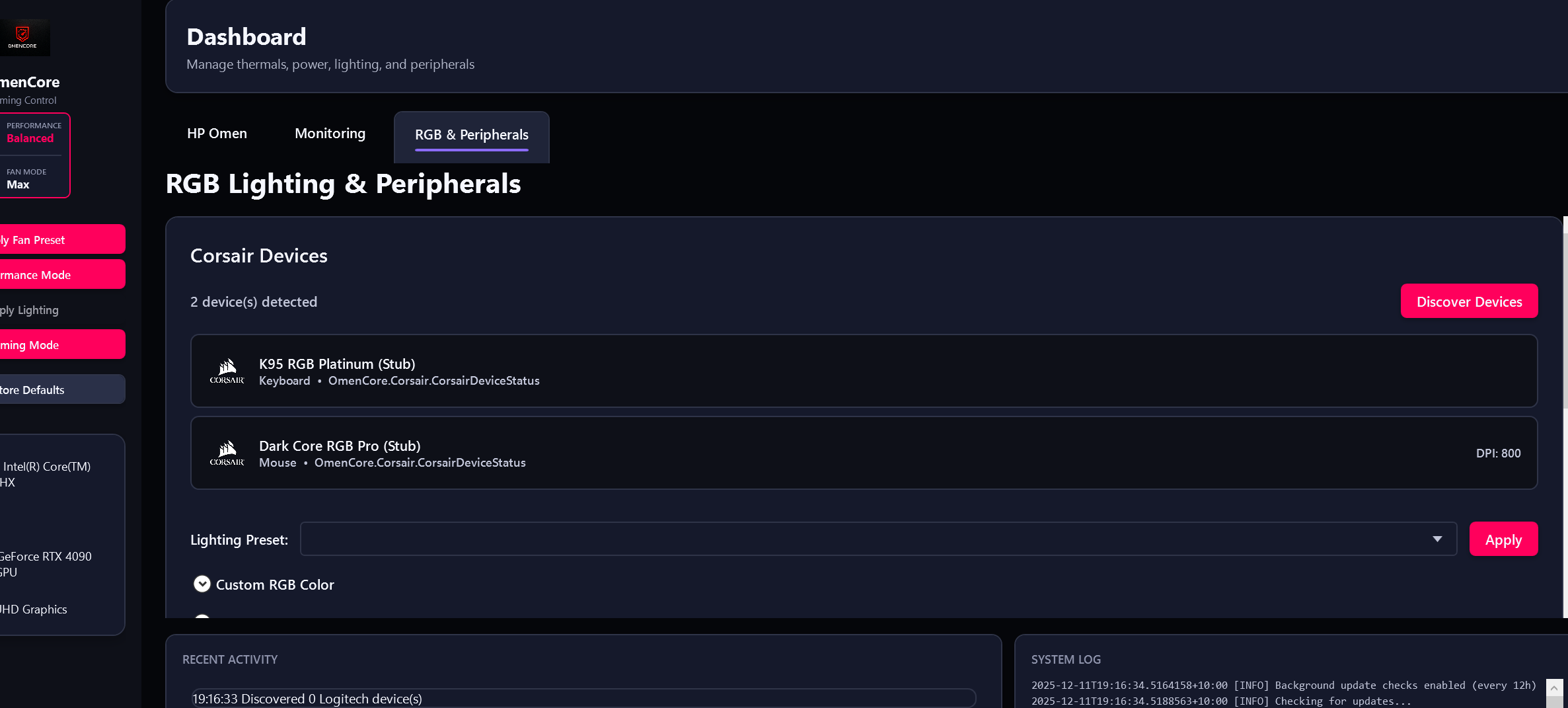
Multi-brand RGB lighting control
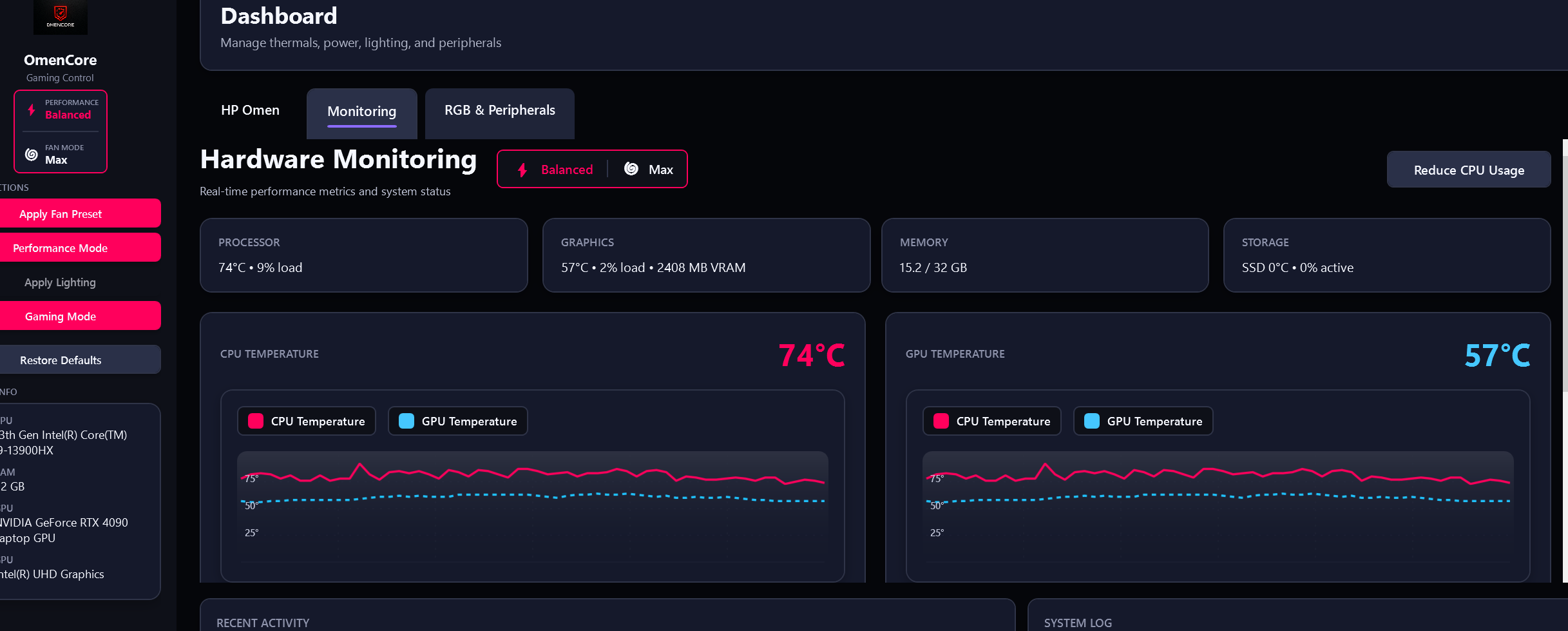
Self-sustaining hardware monitoring
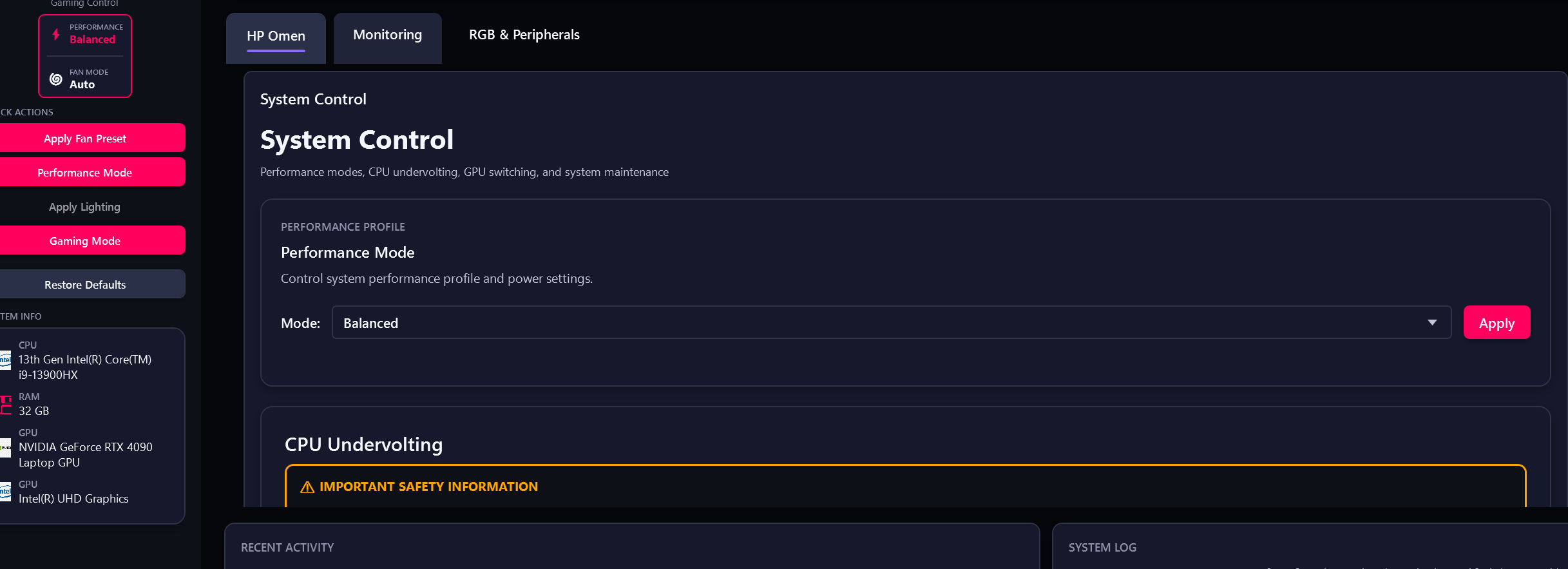
Performance tuning & undervolting
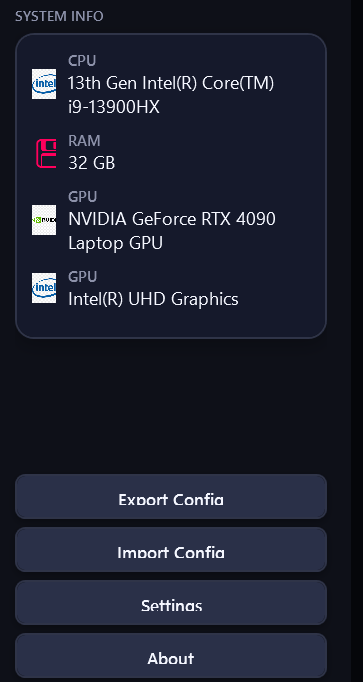
System information & diagnostics
Version History
Key releases from the latest stabilization update back to the early builds
UX Polish, Silent-Failure Fixes & Model Additions
Fixed a fully non-functional OMEN key action setting, low-contrast tray icon, game profiles lost on crash, and several previously silent EC/crash failure paths. Restored correct GPU power boost sync across profile switches, plus new HP Victus/OMEN model support. No fan/thermal/EC control behavior changes.
Field Fixes & Critical Hang Hotfix
Broad field-driven release covering OMEN Max fan-hold stability, Victus WMI auto-handoff, RGB reliability, and several GitHub-tracked model fixes. v3.8.1 introduced a critical launch hang, withdrawn and fixed within days by v3.8.2's named-pipe worker-client rewrite.
Major Stabilization Release
Runtime recovery and telemetry authority hardening, fan/profile correctness improvements, lower UI overhead during active monitoring, and broad model-specific reliability fixes for OMEN and Victus systems.
Correctness & Reliability
Fixed custom-curve CPU power regression, restored hidden fan profile controls, hardened Print Screen and brightness key handling, safer fresh-install defaults, improved Linux startup and control resilience, expanded model capability mapping.
Stabilisation & Hotfix Rollup
Major stability release addressing high CPU usage, thermal monitoring regressions, and Victus fan lockups. Adaptive polling profiles, telemetry health dashboard, expanded fan safety system. v3.2.1 followed with false overheat notifications, window-control fixes, CPU temp stuck issues, and sleep/resume recovery.
Stability Patch & Feature Additions
Minor feature release with GUI enhancements and performance optimisations. v3.1.1 patch addressed 8 critical runtime bugs: CPU temperature display regression, fan response improvements, auto mode transition safety, and Linux fan readback calibration.
Major Rewrite
Complete architectural overhaul. New .NET 8 + WPF codebase, rebuilt hardware abstraction layer, redesigned UI with dark/light theme support, and a unified control surface for fan, RGB, and performance tuning.
Community Bug Fix Patch
Self-sustaining monitoring via native HP WMI BIOS, NVAPI, and MSR. Memory Optimizer with auto-clean. MSI Afterburner coexistence via shared memory. EC safety hardening (prevents Event 524 crashes). 16 community-reported fixes including Arrow Lake 0°C, RPM glitch, GPU frozen temp, and MAHM offset.
UI Redesign & Advanced Monitoring
Modern profile cards and redesigned fan controls. Unified RGB layer with 8 built-in scenes. OpenRGB desktop RGB support. NvAPIWrapper GPU integration. Guided fan diagnostics. WinRing0 removed for Secure Boot compatibility.
Independent Fan Curves & GPU Overclocking
Separate CPU/GPU fan curve editors. Full NVAPI GPU overclocking (core/memory offsets, power limit). Ambient lighting screen sampling. OMEN Max 2025+ detection. Linux HP-WMI support. 40+ bug fixes.
Keyboard RGB Rework
Model-specific backend detection (WMI/EC/HID), per-key RGB for newer models, and a compatibility tester tool with user-assisted calibration database.
On the Horizon
RTSS in-game overlay integration with customisable metrics, per-game settings profiles with automatic process detection, fan automation on game launch, and community model database expansion.